HelpUsing Veil
What Veil does
Veil makes every supported physical display visually black while the Mac stays awake.
Veil is a Mac app. It makes every supported physical display visually black. The desktop still renders. Agents keep working. The Mac stays awake.

Veil lives in the menu bar. This is the mark.
Veiling is not the macOS Lock Screen, and it is not sleep. Nearby people cannot read the desktop. Locking is a separate macOS request that asks for Touch ID or the account password. Sleep turns the machine off. Veil does neither when it covers the screens.
MacBook desktop veiling: branded cover, then black screensThe branded cover, then the screens go black. The Mac stays awake.
Veil lives in the menu bar — look for the mark. The default shortcut is Control+Escape. Press it once to veil every supported display. Press it again to unveil.
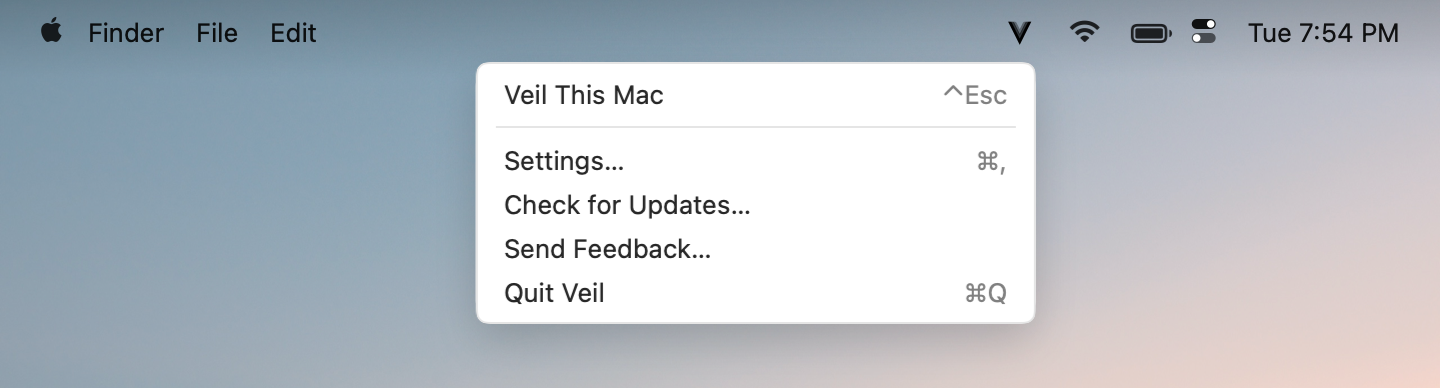
Click the mark for Veil This Mac, Settings, or Quit.