HelpSettings
Shortcuts
The Control–Escape shortcut that veils and unveils, plus Input Monitoring.
One shortcut veils and unveils. Veil never stores keystrokes. Shortcut works in remote and full-screen apps is optional Input Monitoring so other apps cannot swallow that shortcut.
| Control | Default | Hidden or disabled |
|---|---|---|
| Veil or restore displays | Control+Escape | Never hidden. Not MDM-managed. |
| Reset | Disabled while the shortcut is Control+Escape | Never hidden. Disabled on the default shortcut. |
| Custom… | — | Opens the recorder sheet. |
| Shortcut works in remote and full-screen apps | Off | Never hidden. Needs Input Monitoring; allow it in System Settings. |
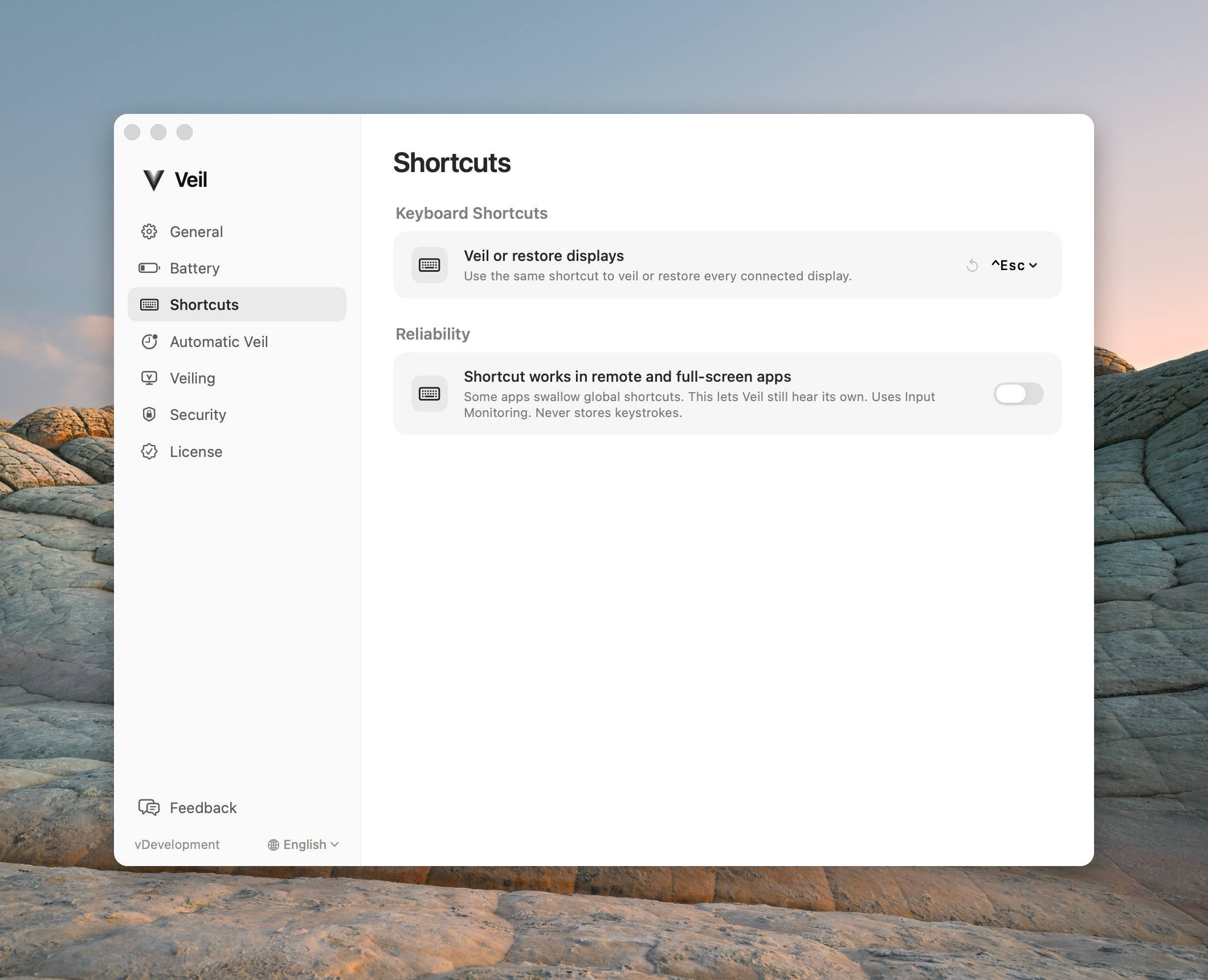
Veil or restore displays
The same shortcut starts a veil and later unveils. A second press during the branded hold cancels a pending start; after the screens go black it unveils.
Reset
The counterclockwise button restores Control+Escape. It is disabled until you choose something else.
Custom…
Needs ControlorCommand. If the combination is already taken, Veil keeps your current shortcut.
Shortcut works in remote and full-screen apps
Keeps the shortcut working when a full-screen or remote-desktop app would otherwise capture it. Uses Input Monitoring. Never stores keystrokes. The row can be off, waiting for approval, on, or try again.
Common questions
Why doesn’t Control+Escape work in a VM or game? Turn Shortcut works in remote and full-screen apps on and grant Input Monitoring. See Shortcut does not work.
Is Veil keylogging? No. It never stores keystrokes.