HelpSettings
General
Theme, language, updates, Launch on login, error logging, and the welcome tour.
General is about the app: chrome, updates, login, and the welcome tour. It does not start or end a veil.
| Control | Default | Hidden or disabled |
|---|---|---|
| Theme | System | Never hidden or disabled. |
| Language | Follow System | Never hidden or disabled. |
| Updates | Idle — Check Now | The button is inert outside a packaged .app (only active in the installed app). |
| Automatically check for updates | On | Never hidden. |
| Launch on login | On for a true first install | MDM can force LaunchAtLogin. When macOS needs approval, the toggle is replaced by Open Login Items… |
| Error logging | Off | Never hidden or disabled. |
| Welcome tour | Replay is always available | Never hidden. Company Macs skip the tour on first launch; Replay still opens it. |
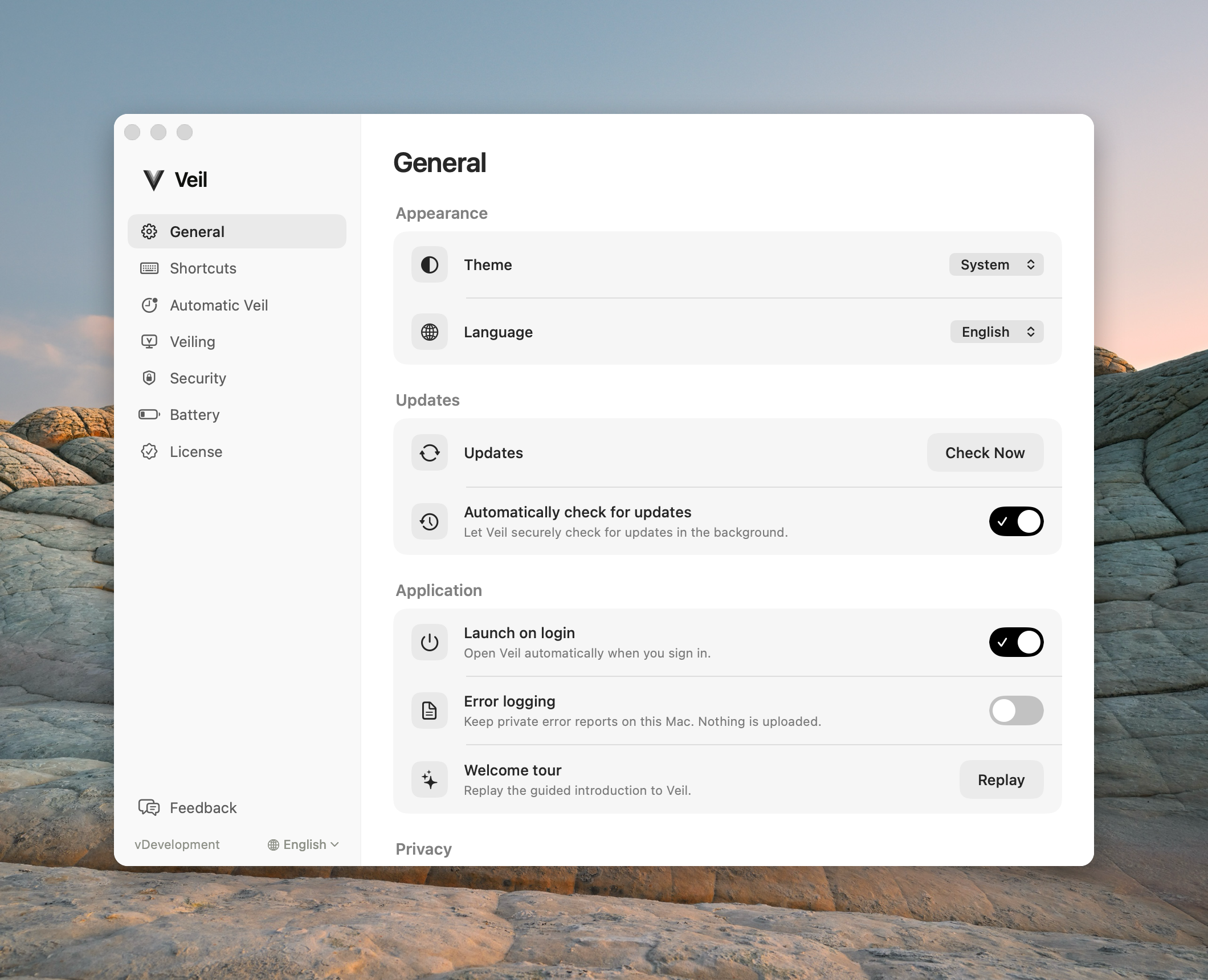
Theme
Choose System, Light, or Dark. This applies to Veil windows only. It does not black the screens.
Language
Follow System plus eleven native names. The pill shows the language actually in effect (English, Deutsch, …), not the Follow System mechanism. The sidebar globe is the same setting.
Updates
The row says what is happening: Checking for updates…, Veil is up to date, or Veil {version} is available. When an update is available, Install and Relaunch downloads it, installs it, and reopens Veil. Progress shows in the same row, and there is no separate dialog. Check for Updates… is also in the Veil menu-bar menu and under About Veil in the application menu. Both open this row. When an update is already found, the item reads Update to Veil {version}… and starts the install. People who installed from Veil.dmg get in-app updates. IT redeploys Veil.pkg. Updates never revoke a license or trap a veil.
Automatically check for updates
When on, Veil checks for updates in the background every 6 hours and when it opens, if the last check was longer ago than that. A found update is never installed on its own: the menu-bar icon gets a dot, the menu item reads Update to Veil {version}…, and Install and Relaunch waits in this pane. A new install ships On. Turn it off to check only when you ask.
Launch on login
Opens Veil when you sign in. A first install turns this on. If macOS asks for approval, use Open Login Items…. On a managed Mac the row shows Managed by your organization and the toggle is disabled.
Error logging
Writes private errors to the local macOS system log. Nothing is uploaded.
Welcome tour
Replay reopens the four-step tour (Welcome, gesture, setup, Extra protection). Replay does not reset Settings by itself. Step 3 of the tour can write Launch on login, Require Touch ID or password to unveil, and Veil when I’m away if you leave those boxes on. Require Touch ID or password to unveil on sets Ask for Touch ID when I come back to After 1 minute, or keeps a stricter choice you already had. Off sets it to Never.
Common questions
Does Theme black the screens? No. Theme is app chrome only.
Does Replay change settings? Only if you finish the setup step with those options selected.