HelpSettings
Veiling
Branded transitions, Keep brand visible, Play on unveil, sound effect and volume, Car lock mode and its sound.
What you see and hear while screens go dark and come back. The logo can appear in a recording. The black screens do not. Preview is not a real veil.
| Control | Default | Hidden or disabled |
|---|---|---|
| Branded transitions | On | Never hidden. |
| Keep brand visible | 5 seconds | Hidden when Branded transitions is off. |
| Play on unveil | Off | Hidden when Branded transitions is off. Forced on while Car lock mode is on. |
| Sound effect | Off | Disabled and shows Car lock while Car lock mode is on. |
| Volume | 85% | Hidden while Sound effect is Off. |
| Car lock mode | Off | Never hidden. |
| Car lock sound | Alarm chirp | Never hidden. |
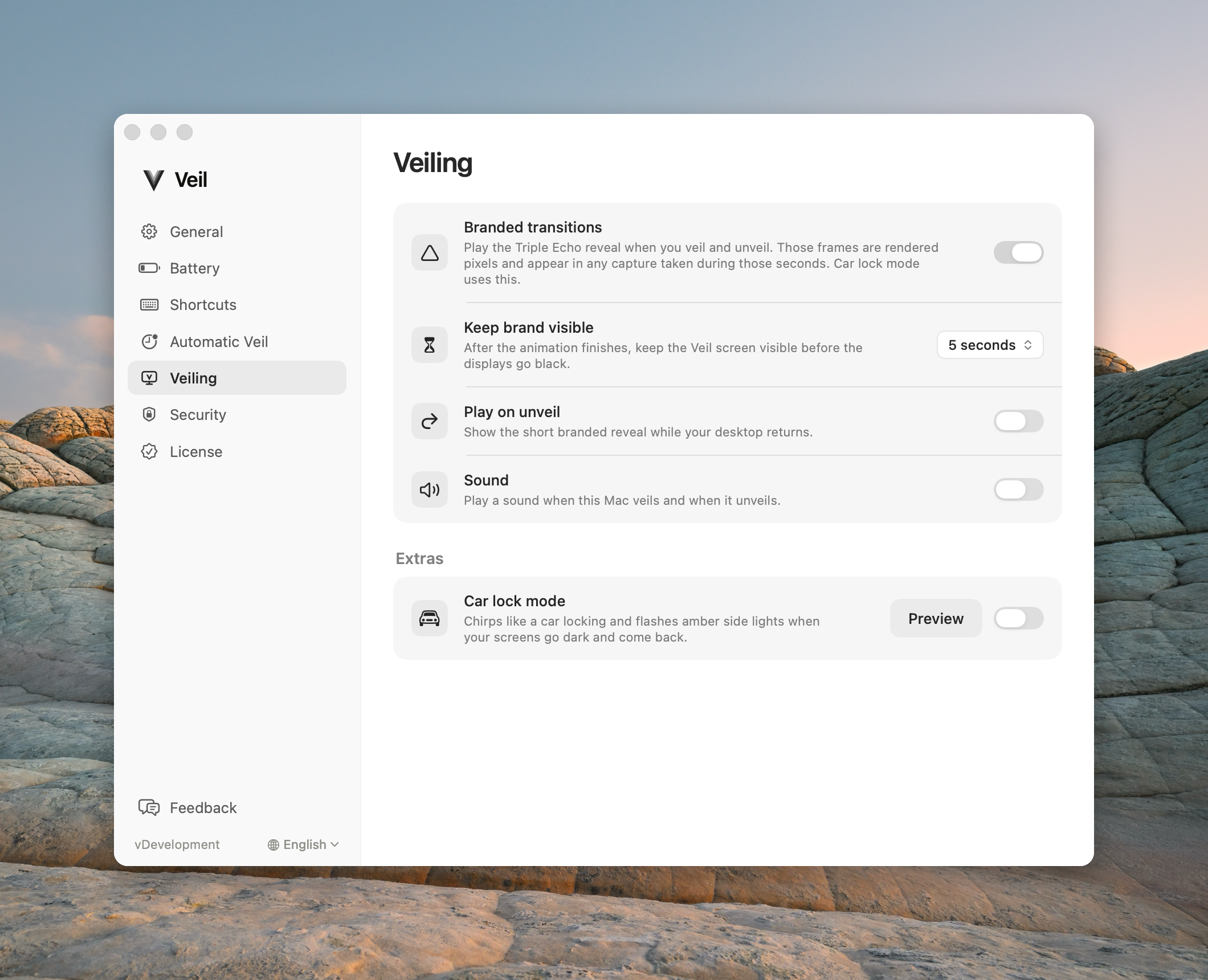
Branded transitions
Plays the Triple Echo overlay before the screens go black. Car lock mode requires this. Turning branded transitions off hides Keep brand visible and Play on unveil.
Keep brand visible
Extra hold after the animation, then the screens go black. This hold counts toward Ask for Touch ID when I come back from the moment the cover appears — it does not add time after blackout.
Choices: As soon as animation ends, 2 seconds, 3 seconds, 5 seconds, 15 seconds, 30 seconds.
Play on unveil
Short branded reveal while the desktop returns. Those frames are captured.
Sound effect
A short sound when this Mac veils and a matching one when it unveils. Pick one from the menu; choosing a sound plays its veil sound once. Preview plays the veil sound, then the unveil sound. Sound never gates black or restore. Car lock mode uses its own sound.
Choices: Off, Latch click, Latch click, rewind, Whoosh, Whoosh, rewind, Slide click, Soft button, iPhone lock, Phone lock. In each pair the unveil sound is either slightly higher than the veil sound or the same sound played backward (the rewind choices).
Volume
How loud the veil and unveil sounds play, Car lock mode included. Letting go of the slider plays the veil sound at the new level. Previews play at this volume too.
Car lock mode
Chirps like a car locking and flashes amber side lights. Turning it on also turns Branded transitions and Play on unveil on, and holds Sound effect on Car lock. Preview is overlay-only — not a real veil — and closes after about five seconds or on any key or click.
Screenshot coming soon
Car lock mode preview overlay with amber side lights
/help-screenshots/veil.mac.overlay.car-lock-preview.png
Car lock sound
What Car lock mode plays with its amber side lights. Choosing one plays its lock sound, even while the mode is off.
Choices: Classic chirp (the original synthesized chirp), Alarm chirp (a car-alarm chirp on each blink, a little higher to unlock), Alarm chirp, one to lock (one chirp to lock, two to unlock), Clunk and chirp (a door-lock clunk, then two chirps to unlock).
Common questions
Why is the logo in my recording? Branded transitions, unveil play, car lock, or the battery flash. The black screens do not.