HelpSettings
Feedback
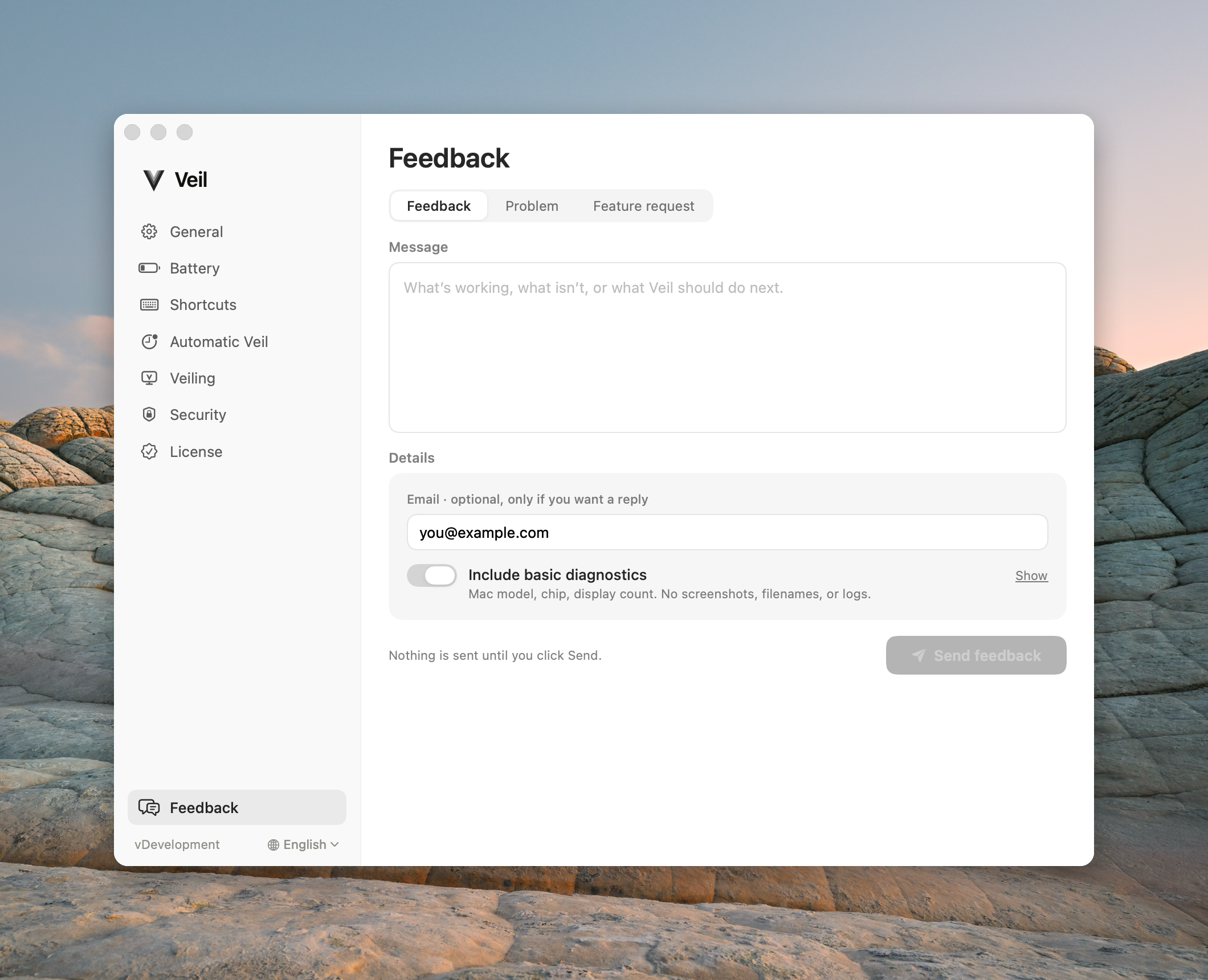
Every control on the Feedback pane.
Feedback is pinned at the bottom of the Settings sidebar. Nothing is sent until you click Send feedback. Diagnostic data never includes screenshots or what is on screen. You can attach image, video, or audio files yourself; Veil does not capture them. See also Send feedback.
| Control | Default | Hidden or disabled |
|---|---|---|
| Category | Feedback | Disabled while sending, queued, or after a successful send until you start another. |
| Message | Empty — required | Disabled while not editable. |
| Email · optional, only if you want a reply | Empty; prefilled from the license if you have not typed one | Never overwrites something you already typed. |
| Monitor model · optional | Empty | Shown only when at least one physical external display is connected. |
| Send diagnostic data | On | Never hidden. Show opens exactly what will be sent. |
| Attachments | None | Disabled while not editable. Up to 5 files, 8 MB each, 18 MB together. |
| Send feedback | Disabled until Message has text | Unavailable in some builds. Offline parks the message and its files on disk. |
Category
Feedback, Problem, or Feature request.
Message
Required. Send stays disabled until this field has text.
Email · optional, only if you want a reply
Add an email only if you want a reply.
Monitor model · optional
Veil does not collect the model automatically. Add it if the feedback is about that display.
Send diagnostic data
Helps us understand what went wrong: your Mac and macOS version, your displays (including their names and serial numbers) and how they are connected, and the timing of recent veils. It never includes screenshots or what is on screen. Show opens the full data; you can save a copy from there. Uncheck it to send your message without it.
Attachments
Attach files accepts png, jpg, jpeg, gif, webp, heic, heif, tif, tiff, bmp, mp4, mov, m4v, webm, m4a, mp3, wav, aac, and caf. You can also drop files on the row. Each file shows its name, kind, and size; images show a preview. Remove a file before you send. Unsupported, unreadable, damaged, and oversized files stay off the list and show a message. Nothing is sent until you click Send feedback. Veil never takes the screenshot, recording, or microphone audio for you.
Send feedback
The button reads Send feedback, Sending…, Try again, or Queued. Offline: “You’re offline. We’ll send this when you’re back online.” After success: “Thanks, we got it.”
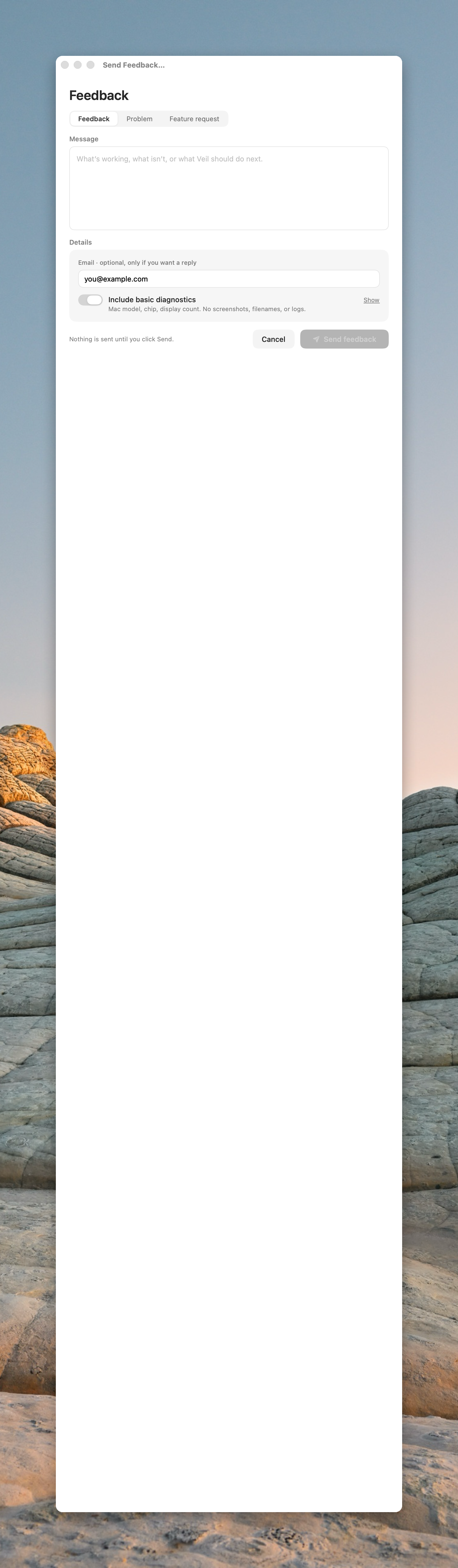
Standalone window
Send Feedback can also open as a 620×560 window. That layout adds Cancel.