HelpSettings
Security
Ask for Touch ID when I come back, and the input block.
Security is authentication and the optional input deterrent. Read Idle delay and Touch ID first if you are choosing Wait for and Ask for Touch ID when I come back together. Those are different clocks. Timer expiry never locks macOS.
| Control | Default | Hidden or disabled |
|---|---|---|
| Ask for Touch ID when I come back | Never | MDM can force automaticVeilAuthenticationDelay or requiresAuthenticationOnUnveil. The row then shows Managed by your organization. |
| Block keyboard and mouse while veiled | Off | MDM can force blocksPhysicalInputWhileVeiled. Needs Accessibility. The row can wait for approval. |
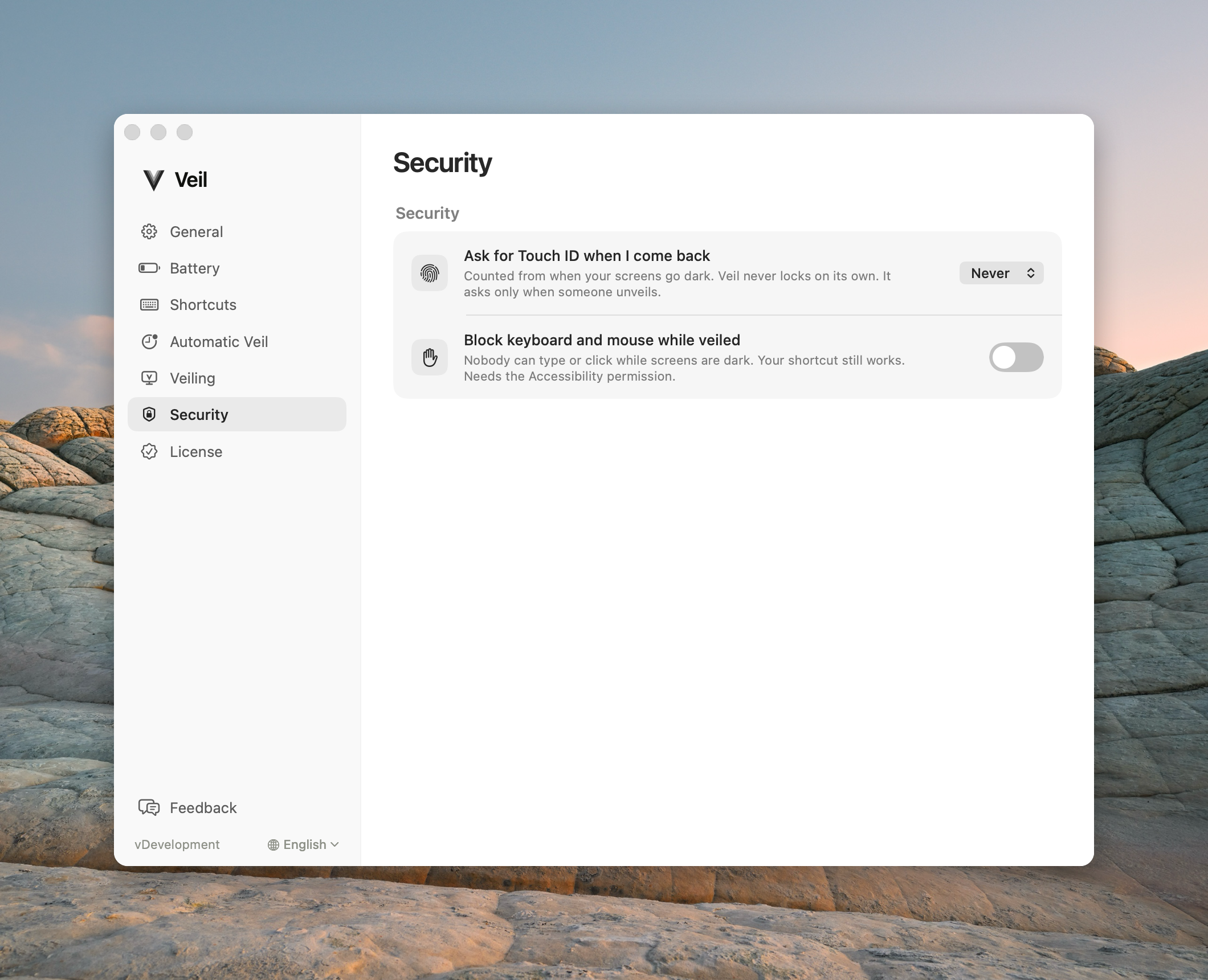
Ask for Touch ID when I come back
One setting for every veil, manual and automatic alike. Veil checks it when someone unveils, not when a timer fires.
The time counts from the moment your screens first go dark: the branded cover if Branded transitions are on, otherwise the moment the screens go black. A long Keep brand visible hold counts toward it. A preference change during a veil does not move that start.
| Label | On unveil |
|---|---|
| Never | Restores the screens. Never asks. |
| Immediately | Always asks. |
| After 1 minute, After 5 minutes, After 15 minutes | Restores the screens if you come back inside that time. Asks after it. |
When Veil asks, it keeps the screens black, asks macOS to lock, and restores onto the macOS Lock Screen. You unlock there with Touch ID or your password. Veil never collects a password.
Veil never locks on its own when the time passes. It asks only when someone unveils, so agents keep working.
If you had turned on the older Ask for Touch ID switch, this setting shows Immediately until you pick a value.
Block keyboard and mouse while veiled
Drops physical keyboard, mouse, and trackpad input while veiled. The shortcut still works. Software agents are unaffected. This is a deterrent, not a lock: input flows again if Veil quits or crashes. While it is blocking, Unveil on any key or mouse move does nothing; press the shortcut to unveil. If it is not blocking (the row says Not blocking — Accessibility permission required), Veil veils as usual and any key or mouse move still unveils. The row can be off, waiting, on, or try again.
Common questions
Does Ask for Touch ID when I come back apply to a veil I start myself? Yes. It applies to every veil, manual and automatic alike.
Does After 5 minutes lock my Mac after 5 minutes? No. The Mac stays veiled and the session keeps running. If someone unveils 5 minutes or more after the screens went dark, Veil asks macOS to lock first.