HelpSettings
Settings overview
Open Settings from the menu and find every pane.
Veil is a Mac app. Open Settings from the menu-bar menu: choose Settings…, or press Command+,. This reference is the “what is this switch” corpus — one page per pane, every control, with the shipping default for a new personal install.
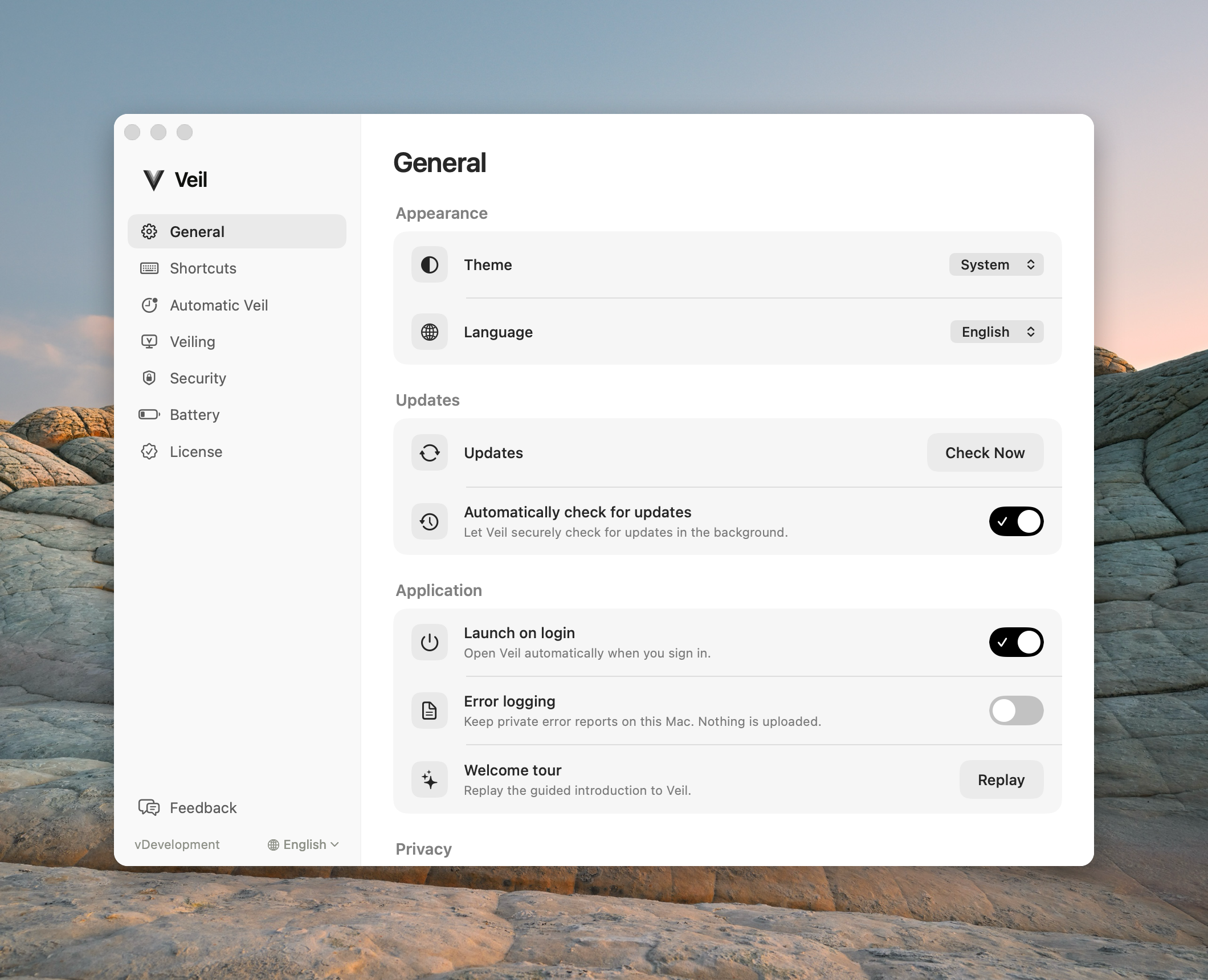
Sidebar
The left column lists panes in this order: General → Battery (only if this Mac has a built-in battery) → Shortcuts → Automatic Veil → Veiling → Security → License. Feedback is pinned at the bottom of the list, above the trial card and the version + language bar.
Desktops hide Battery. If you land on that pane and then disconnect a battery, Settings returns you to General.
Trial card
During a personal trial, a card sits above the version bar with a ring, days left, Buy Veil (opens License), and Ask my company when that path is available. Managed company Macs are not on a personal trial.
Theme and language
| Control | Default | What it does |
|---|---|---|
| Theme | System | System, Light, or Dark. Settings, About, and other Veil windows only. Not the black screens. |
| Language | Follow System | The sidebar globe shows the language in effect (English, Deutsch, …), not the words Follow System. Same control as General. |
Version
The sidebar shows v plus the app version. Click it for About Veil.
Panes
| Pane | What it covers |
|---|---|
| General | Theme, language, updates, Launch on login, error logging, Welcome tour |
| Battery | Low-battery flash and Sleep at (hidden on desktops) |
| Shortcuts | Control+Escape and Input Monitoring |
| Automatic Veil | Veil when I’m away, Wait for, Unveil on any key or mouse move |
| Veiling | Branded transitions, Keep brand visible, sound, Car lock mode |
| Security | Ask for Touch ID when I come back, input block |
| License | Trial, personal, team, MDM |
| Feedback | Send Feedback |